Cybill Studio Automation Studio

Cybill Studio turns videos into ready-to-post

A desktop AI clipping studio that scores every moment, checks every clip, and exports to every platform in one render pass.

For Windows 10/11

AI

Moment Detection

5

Export Platforms

6

Free Integrations

30+

Languages

Inside the App

Take the Tour

Project Export

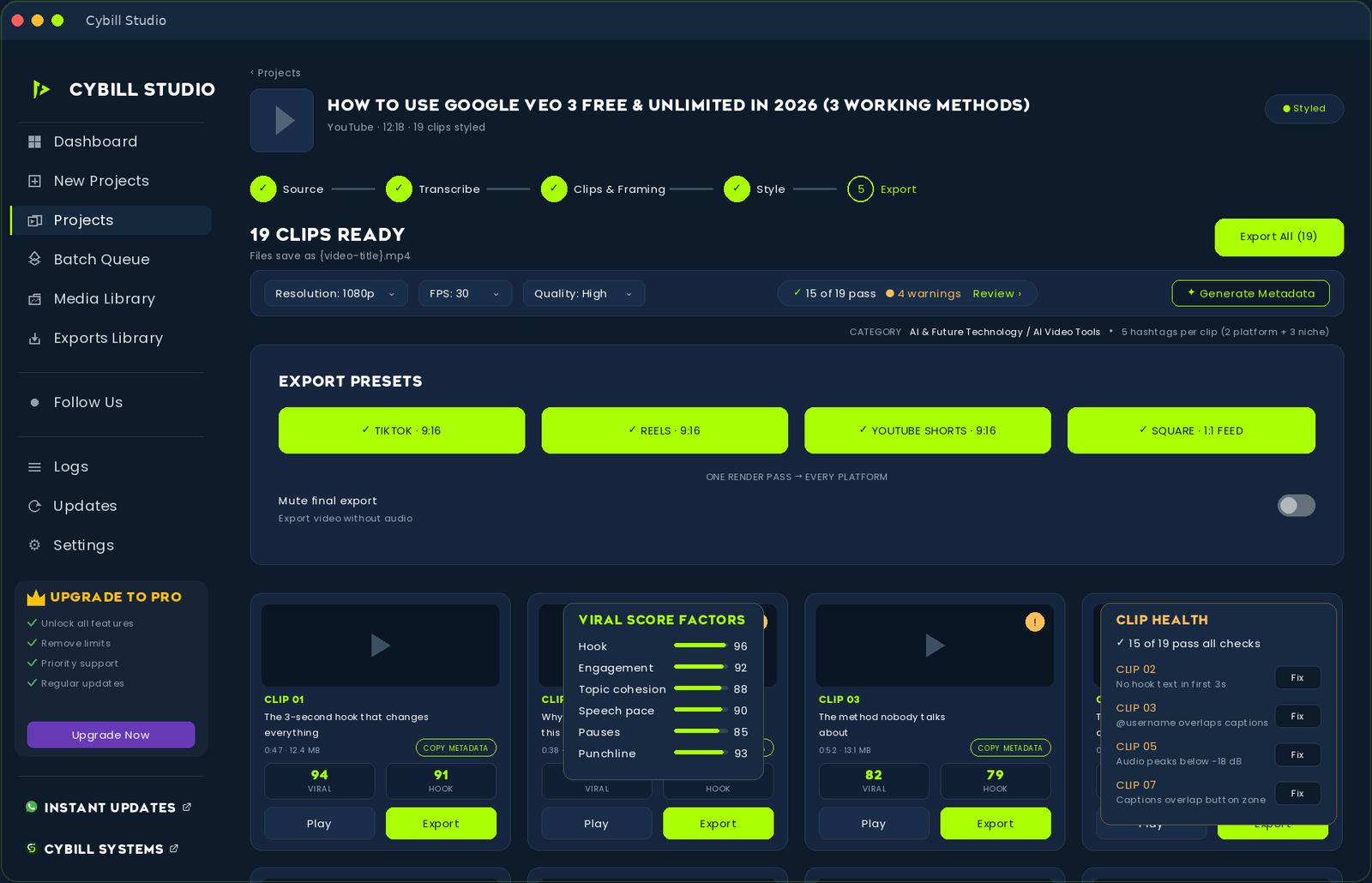
19 clips ready, one render pass

Every clip arrives with a viral score, hook score, health check and copy-ready metadata. Export to TikTok, Reels, Shorts and square feed at once.
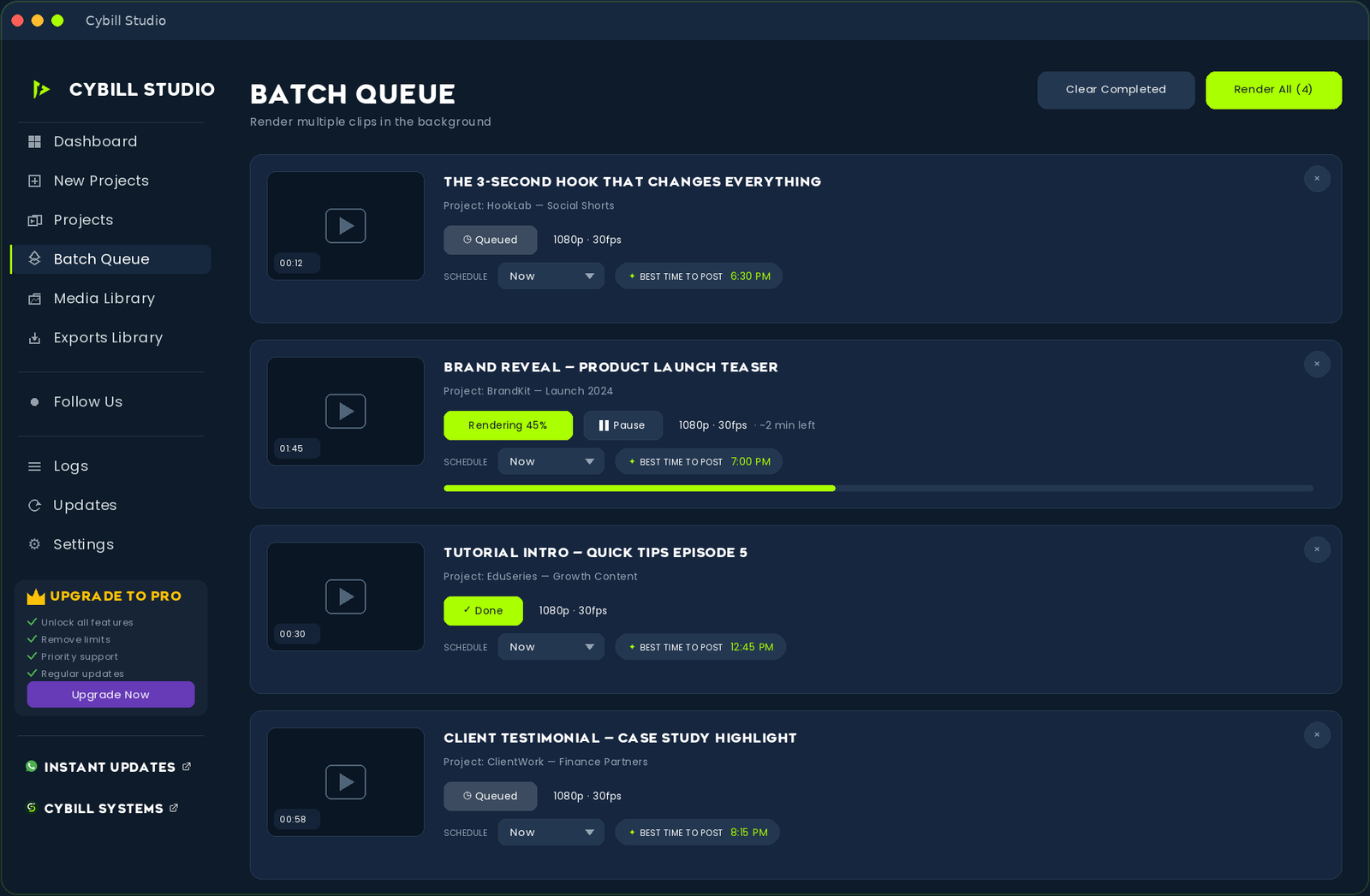
Batch Queue

Queue it. Forget it.

Drop multiple videos into the queue and let Cybill Studio work through them one by one — even while you sleep.
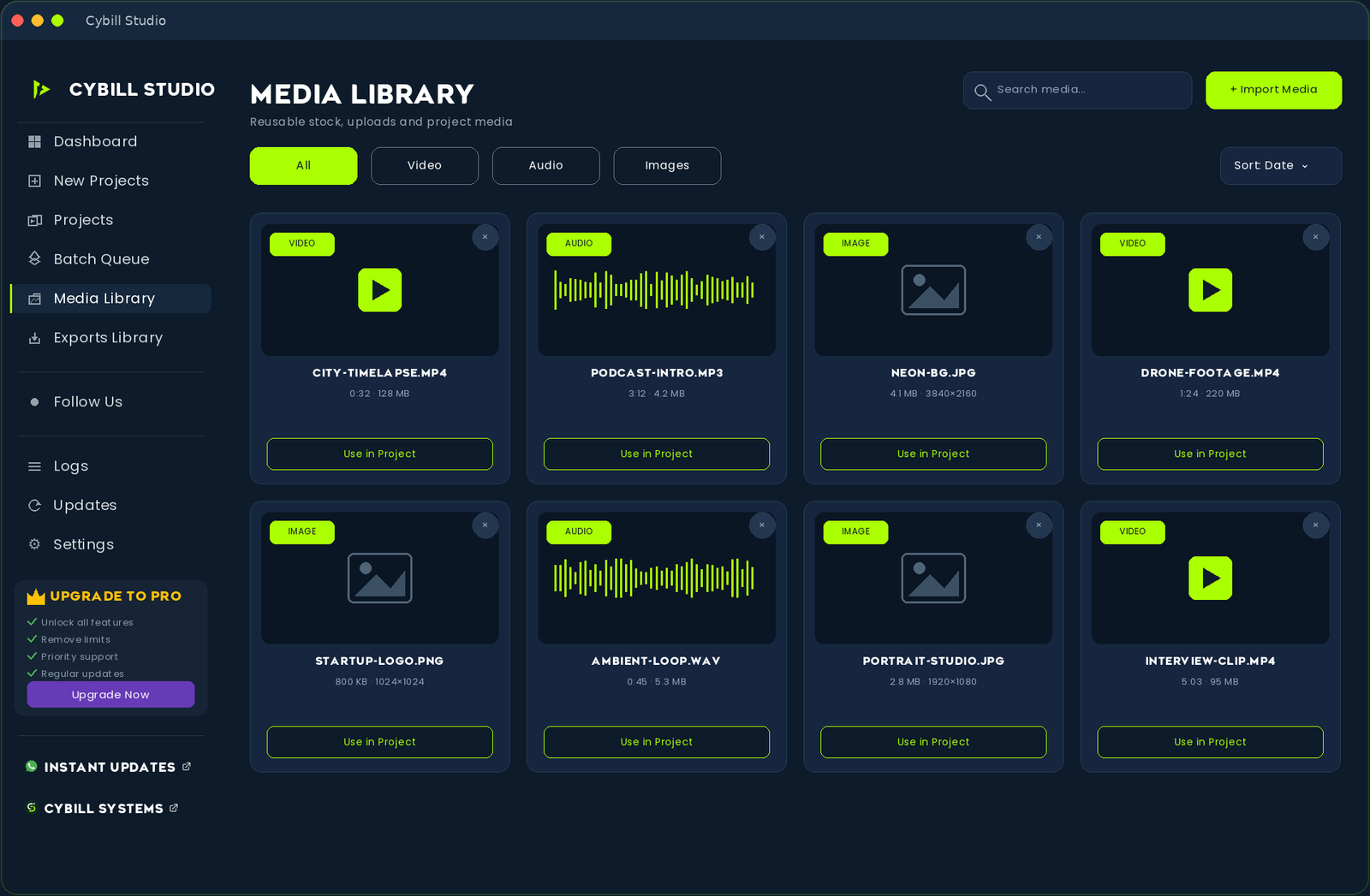
Media Library

All your assets, one place

Stock footage, music, your uploads — everything organized and searchable, ready to drop into any project.
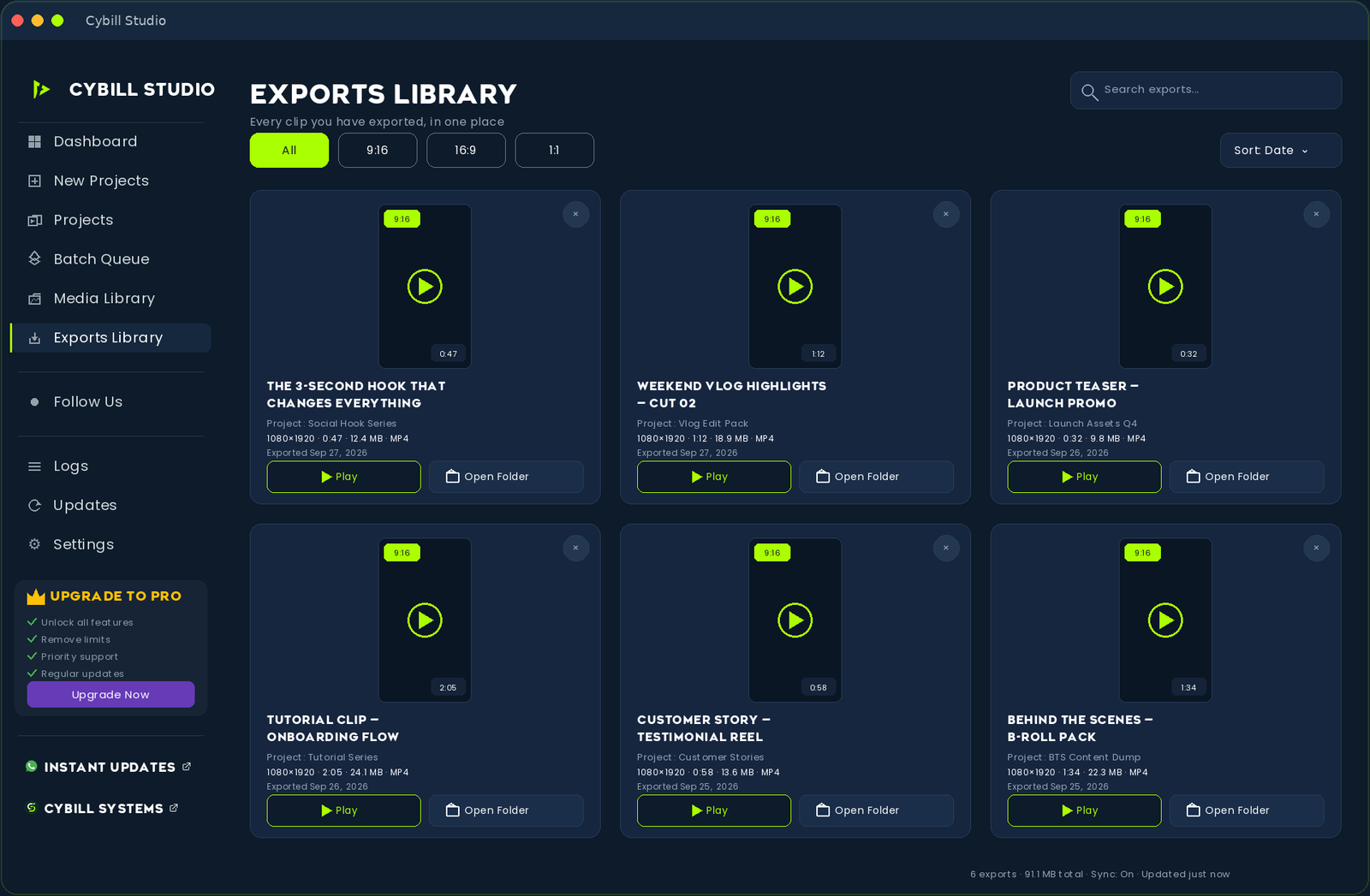
Exports Library

Every clip, ready to post

All your finished clips in one library — with metadata, hashtags and platform-ready formats attached.

Five steps
Zero timeline scrubbing

1

Source

Paste a YouTube link or drop a file

2

Transcribe

Local Whisper writes a word-level transcript

3

Clips & Framing

AI picks moments and reframes to 9:16

4

Style

Apply captions, fonts and brand kit

5

Export

Render every platform in one pass

WHAT IT DOES

One local pipeline, from raw
recording to posted clip

Paste a video link or drop a file. Cybill Studio downloads it if needed, transcribes it locally, finds the standout moments, reframes to vertical and exports — all on your own device.

AI Highlight Detection

Scores every moment of your transcript and picks the strongest, non-overlapping clips.

Auto Face-Tracking Reframe

Follows the speaker through the shot so they stay centred in a 9:16 crop.

Silence & Dead-Air Removal

Trims long pauses automatically so clips stay tight and watchable.

Video & Audio Enhancement

Stabilisation, grading, noise reduction, loudness normalisation and more.

Multi-Platform Video Import

Paste links from five platforms, or drop local files straight into the app.

Brand Logo Overlay

Add your own logo, masked into a clean circular badge and placed for you.

TWO WAYS IN

Let it choose, or choose it yourself

No gimmicks and no extra services — two real modes, both running locally.

MODE 01

AI Highlight Mode

Cybill Studio transcribes the full video, then scores every moment for hooks, emotion, storytelling and curiosity before picking the strongest non-overlapping segments for you.

  • Choose 1 to 10 clips per video
  • Set a target clip length
  • Scoring runs on-device from the video's own transcript
  • Overlapping moments are filtered out automatically

MODE 02

Manual Time Range Mode

Know exactly which moment you want? Type a start and end time and Cybill Studio clips precisely that range with the same reframing and enhancement pipeline.

  • Exact start and end timecodes
  • Full manual control over every cut
  • Same face-tracking and export options
  • Ideal for moments you already spotted

REFRAMING

The speaker stays in frame,
not just the middle of it

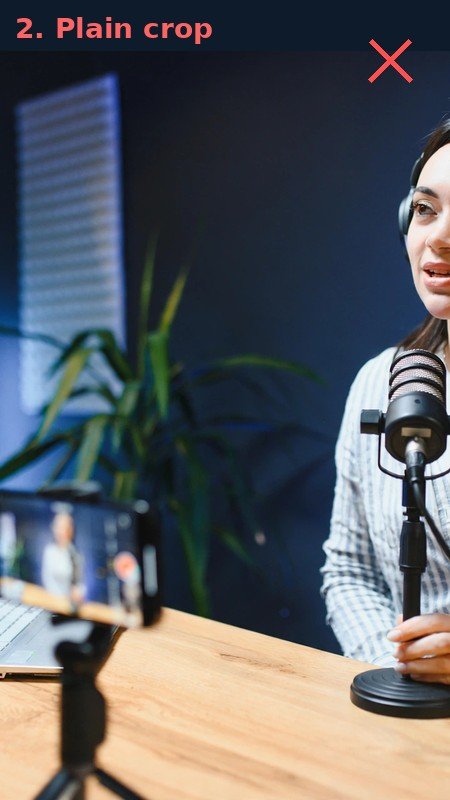
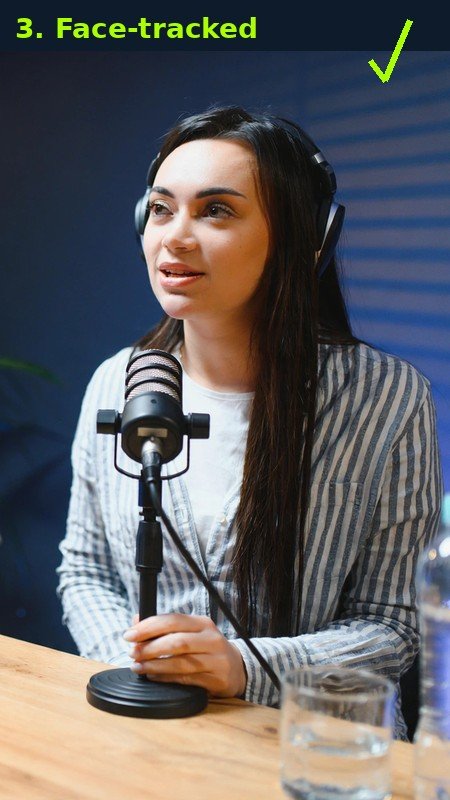
Cybill Studio detects the speaker's face and follows it as the video plays, keeping them centred inside the 9:16 crop instead of trusting a fixed centre crop that can cut people out entirely.
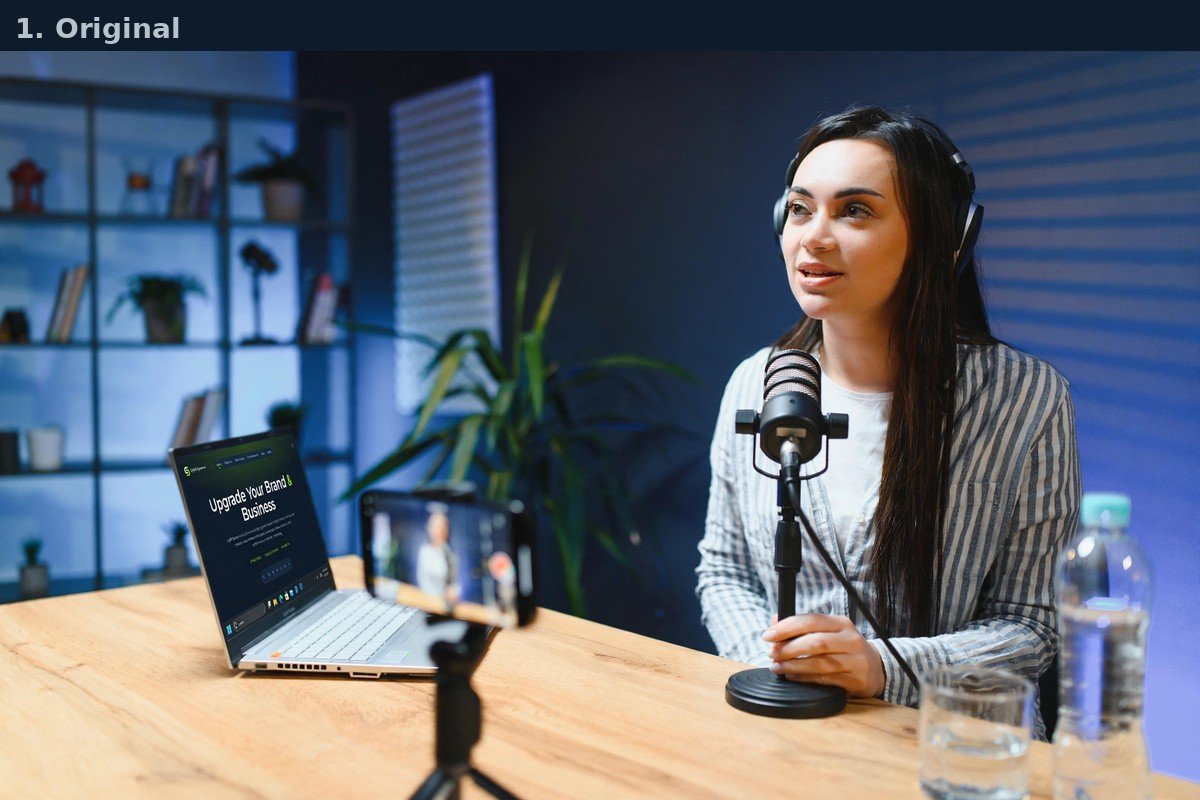
Original video frame
Original video frame

Plain centre crop
Plain centre crop

Face-tracked crop

Face-tracked crop

Background Blur mode

Prefer to keep the full original frame? Background Blur shows the whole shot and fills the space above and below with a blurred copy of the same footage — useful for wide shots where cropping isn't ideal.

ENHANCEMENT ENGINE

Polish built into the export,
not bolted on after

Video Enhancement Engine

One-click AI Auto EnhanceOr toggle each processor individually.
StabilizationDynamic ZoomMirror / FlipColor GradingSharpenVignetteMotion BlurFade Transitions

Audio Enhancement Engine

One-click AI Auto EnhanceOr toggle each processor individually.
AI Auto Enhance (One-Click)Voice EnhancementHigh-Pass Filter (Low Cut)Noise ReductionLoudness Normalization (LUFS)Compressor + Limiter

Automatically removes dead air and long silences, so clips stay tight without losing natural pauses.

PRIVACY

Your footage stays yours

Everything that turns a recording into a finished vertical clip happens locally. Nothing is uploaded to render a clip.
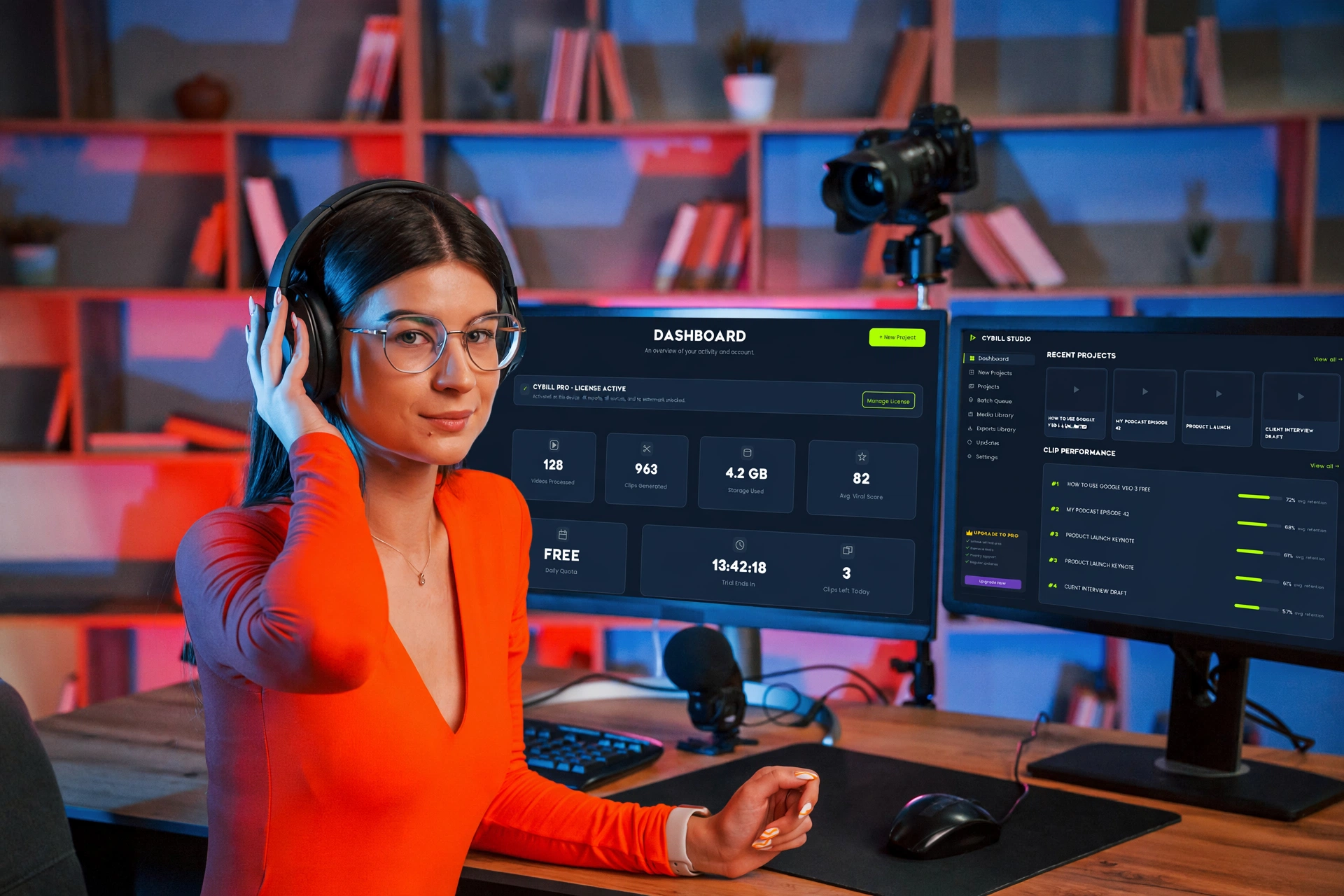
Creator using Cybill Studio locally

Runs on your machine

Transcription and rendering use your own hardware.

No cloud rendering queue

Nothing to wait in line for — start and export locally.

Your footage never leaves your PC

No uploads are needed to produce a clip.

Work offline

Only link imports need a connection.

IMPORT

Bring footage in from anywhere

Paste one link per line to queue several videos at once, drop local files, or pull free stock footage — all in one place.

YouTube

Facebook

Twitch

TikTok

Instagram

Snapchat

Local File

Px

Pexels Stock

P

Pixabay Stock

EXPORT CONTROLS

Ship at the quality your source can actually carry

Export quality

720p1080p2K4K8K

Never upscales past the real quality of your source footage.

Playback speed

Nudge clips faster or slower to fit a platform's pacing without re-editing.

Brand Logo Overlay

Optional. Your logo is masked into a clean circular badge and positioned to suit vertical or horizontal output.

COMPARISON

Then vs Now

See how far Cybill Studio has come.

Old Studio
New Cybill Studio
Import sources
✕YouTube only
✓9 sources — platforms, local files & stock
Daily limit
✕3 videos per day
✓No limit — as much as your PC handles
Export quality
✕720p / 1080p
✓720p to 8K
Moment detection
✕Keyword matching
✓AI scoring with viral factors
Enhancement
✕Basic
✓Full video + audio engine

WHO IT'S FOR

Made for people with more
footage than time

YouTube Creators

Turn every long upload into a week of shorts without re-editing.

Podcast Clippers

Pull the sharpest two minutes out of a two-hour conversation.

Streamers & Gamers

Clip the best reactions from a full VOD after the stream ends.

Course Creators

Slice lessons into teaser clips that point back to the full course.

Coaches & Speakers

Reframe talks and sessions into vertical highlights for socials.

Agencies & Teams

Process client footage locally, without sending files to a third party.

HOW IT WORKS

Three steps, start to export

01

Paste a link or drop a file

Queue one video or a whole batch, one link per line.

02

Pick a mode and settings

AI Highlight or Manual range, plus duration, quality and enhancements.

03

Review and export

Check the vertical previews, then export your clips locally.

Know which clip will win
before you post

Every clip gets a viral score from six factors and a health check that flags problems you can fix in one click.

  • Viral and hook scores on every clip
  • Clip health: hooks, captions, audio levels, safe zones
  • Generated titles, descriptions and hashtags
  • Best time to post for each clip

Viral Score Factors

Hook96
Engagement92
Topic cohesion88
Speech pace90
Pauses85
Punchline93

Clip Health

✓ 15 of 19 pass all checks

Clip 02
No hook text in first 3s
Fix
Clip 03
@username overlaps captions
Fix
Clip 05
Audio peaks below -18 dB
Fix

POWERED BY APIS

Pro-level editing, powered by the best

Cybill Studio connects directly with industry-leading AI providers — bring your own free API keys and unlock pro-level AI analysis and transcription.

OpenRouter

AI Analysis

Groq

AI Analysis

Deepgram

Transcription

Gemini

Visual Analysis

ORIGINAL CONTENT

Transform your clips into original content

Cybill Studio reframes, enhances and restyles your clips — create unique videos ready to post.

*Results vary by source material. Always respect platform policies and copyright law.

Offline transcription

Local Whisper models run on your machine. Your footage never leaves your disk.

Bring your own keys

Connect Groq, Gemini, OpenRouter or free providers. Keys stay in your keychain.

Free integrations

Groq, OpenRouter, Gemini and Deepgram — no credit card.

Groq Google AI Studio OpenRouter Deepgram YouTube Pexels Groq Google AI Studio OpenRouter Deepgram YouTube Pexels

COMING SOON

In active development

These are not available yet — they're what the team is building next.

PLANNED

Animated Captions

Multiple style presets with word-by-word highlighting.

PLANNED

B-Roll Insertion

Drop supporting footage over the parts that need it.

PLANNED

More editing tools

Ongoing additions to the local editing pipeline.

Tools

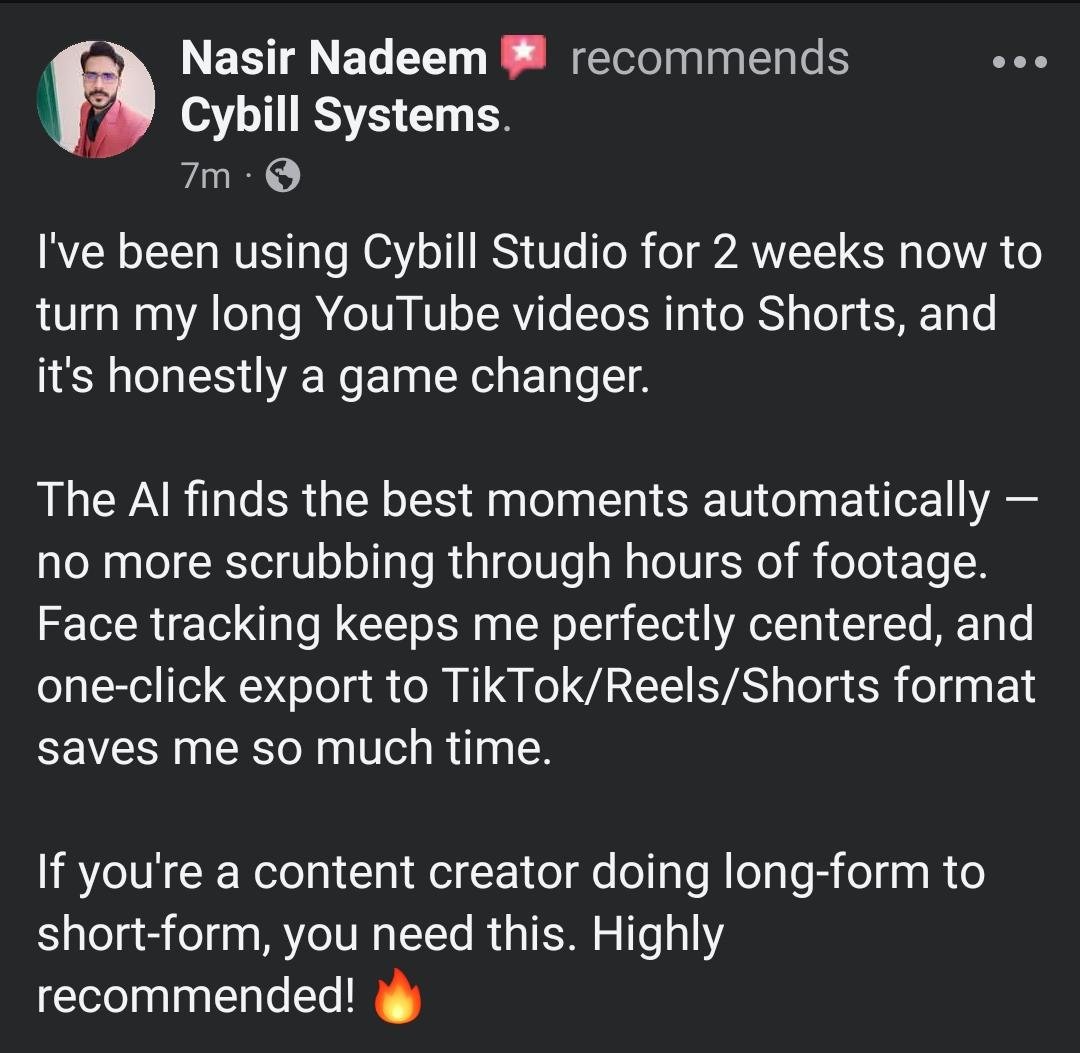
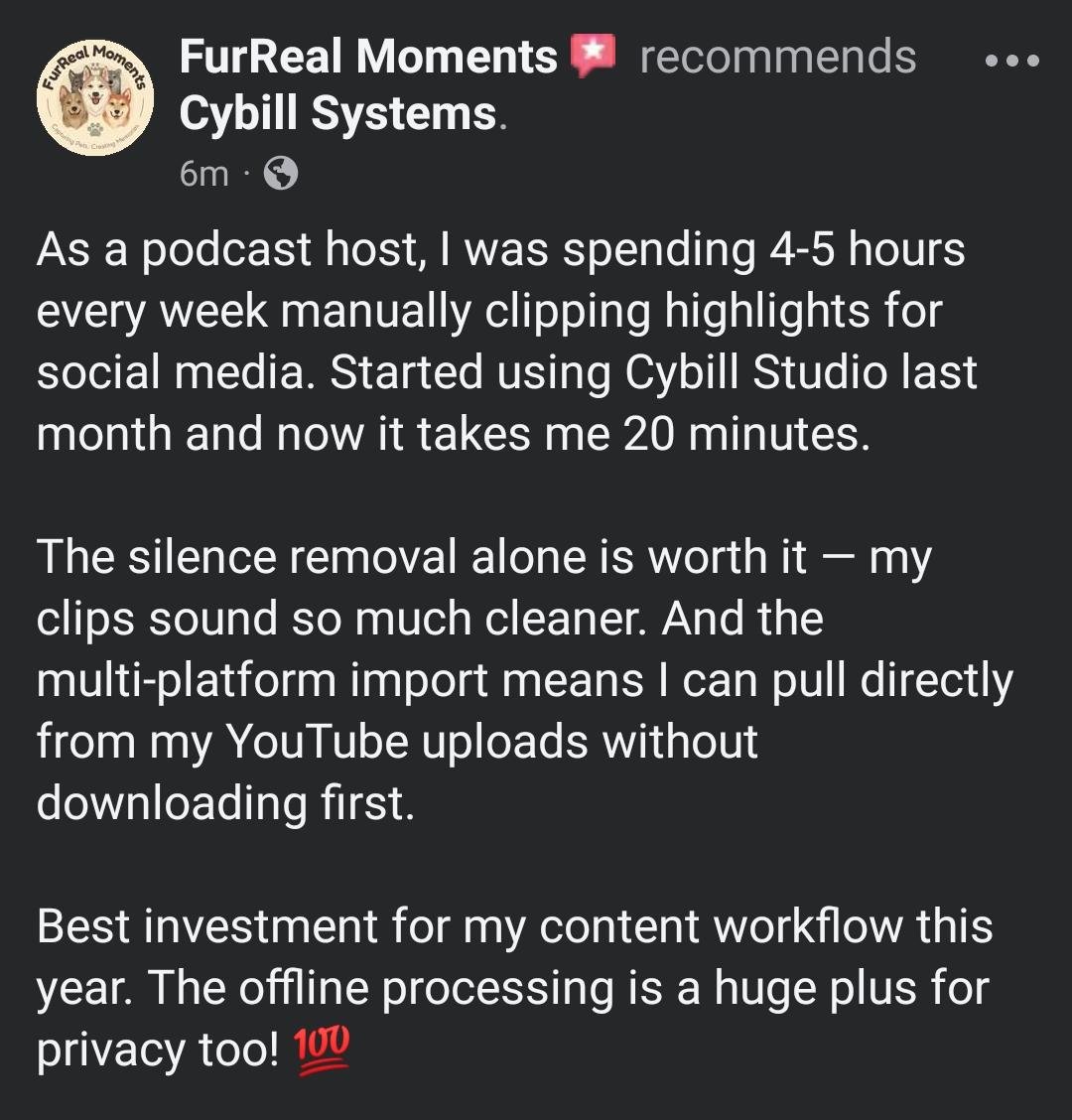
Cybill Studio Reviews

Real screenshots shared by people using Cybill Studio.
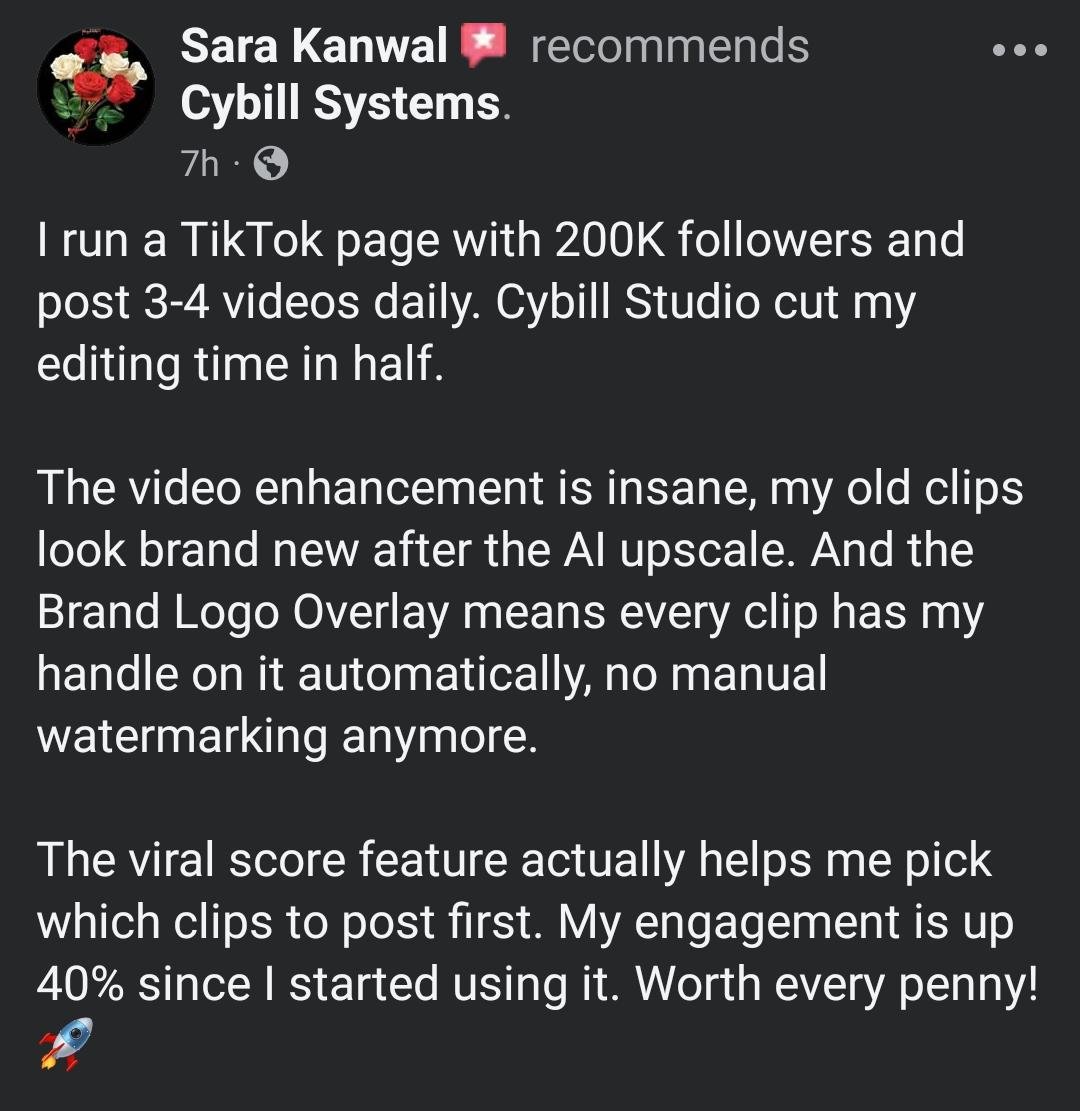
Mobile screenshot of a customer review for Cybill Studio by Sara
Mobile screenshot of a customer review for Cybill Studio by Nadeem
Mobile screenshot of a customer review for Cybill Studio by Fur

FAQ

Everything You Need to Know

Quick, honest answers about how Cybill Studio works, what's included, and what's coming next — no jargon, no fine print.
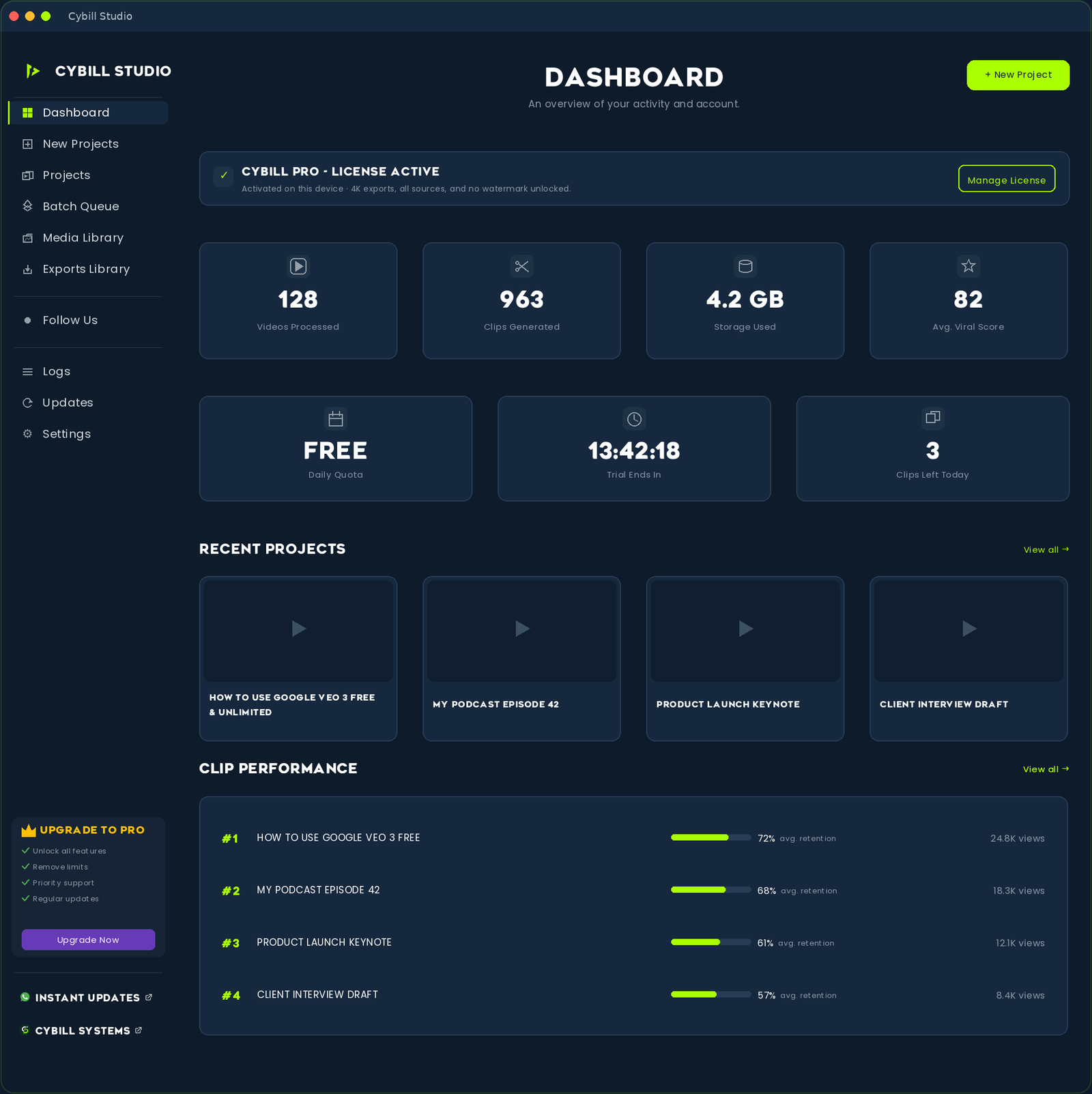
Cybill Studio
01

Does my video get uploaded anywhere?

No. Transcription, highlight scoring, reframe and rendering all run locally on your computer. Only link imports require an internet connection to fetch the source video.

02

What video sources are supported?

YouTube, Facebook, Twitch, TikTok, Instagram and Rumble links, plus local files such as MP4, MOV and MKV.

03

What's the difference between AI Highlight and Manual mode?

AI Highlight Mode transcribes the video and scores moments for hooks, emotion, storytelling and curiosity, then picks the strongest non-overlapping ones. Manual Time Range Mode clips the exact start and end times you enter.

04

What quality can I export in?

720p, 1080p, 2K, 4K and 8K. Cybill Studio never upscales beyond the real quality of your source footage.

05

Is there a free plan?

Yes. The free plan covers core clipping and reframe with a daily processing limit.

06

What's included in the free plan versus paid?

Free gives you core clipping and reframe within a daily limit. The paid plan expands daily processing and unlocks the full enhancement engine and higher export quality.

07

Do I need a powerful PC?

Processing runs on your own hardware, so faster machines export sooner. A modern multi-core CPU and 8 GB of RAM are a comfortable starting point.

08

Is there a watermark on exports?

There's no forced watermark. You can optionally add your own logo, which is masked into a clean circular badge.

09

Can I process several videos at once?

Yes. Paste one link per line to queue multiple videos in a single batch.

10

What features are coming next?

Animated captions, B-roll insertion and more editing tools. These are in development and not available yet.

SYSTEM REQUIREMENTS

Runs on your Windows PC

Operating System

Windows 10 / 11 (64-bit)

Processor

Quad-core CPU or better

Memory

8 GB RAM minimum

Storage

2 GB free disk space

An internet connection is required for activation and AI features.

PRICING

Simple, honest pricing

FREE

$0

Start creating today — free forever

  • AI Highlight + Manual clipping modes
  • Face-tracking vertical reframe
  • Daily clips included
  • HD exports up to 1080p
  • No watermark, ever
Download for Windows

COMPARE

Free vs Pro, side by side

Start free. Upgrade when you're ready.

Feature Free
$0
Monthly
$4.99/mo
Yearly
$49.88/yr
3-day full-access trial ✓ ✓ ✓
Daily clips 3 / day Expanded Expanded
Clip durations 12s / 15s / 25s Up to 5m 30s Up to 5m 30s
AI Highlight + Manual modes ✓ ✓ ✓
Face-tracking reframe ✓ ✓ ✓
Export quality Up to 1080p Up to 8K Up to 8K
Video enhancement engine Basic Full (8 processors) Full (8 processors)
Audio enhancement engine Basic Full (6 processors) Full (6 processors)
Brand Logo Overlay ✕ ✓ ✓
Playback speed controls ✕ ✓ ✓
Aspect ratios & presets Original only All All
Watermark on exports None None None
Priority support ✕ ✓ ✓

* Yearly plan saves $9.99 compared to monthly billing.